Change a Private Endpoint using the Console
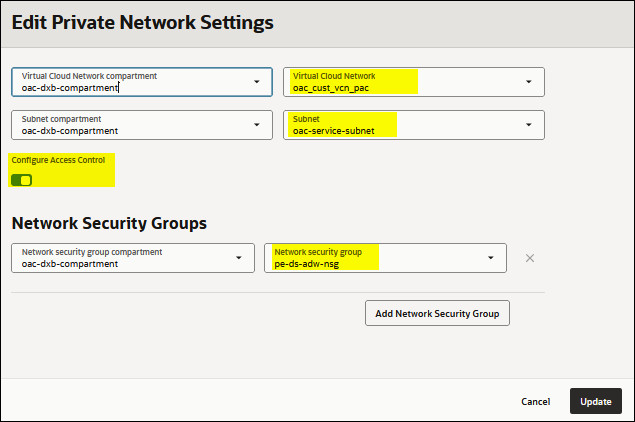
If you want to access Oracle Analytics Cloud through a different VCN or subnet you can edit the configuration. You can also configure the network security groups used to control ingress and egress.
Note
If you change the VCN you must reconfigure the network security groups.
If you change the VCN you must reconfigure the network security groups.
- In Oracle Cloud
Infrastructure Console, click
 in the top left corner.
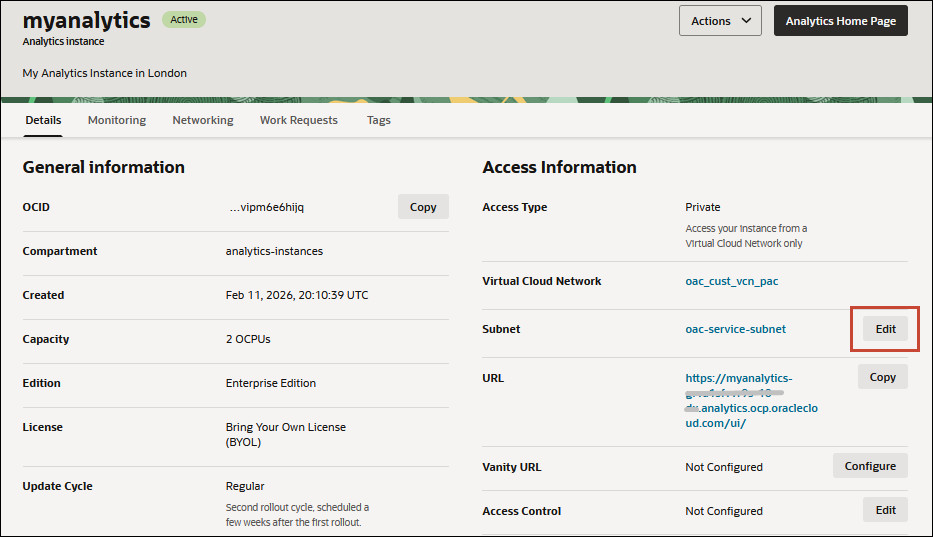
 - On the Details page, click the Edit link next to
Subnet.
- Select a different Virtual Cloud Network,
Subnet, or both.
Click Virtual Cloud Network Compartment or Subnet Compartment to select resources from a different compartment. If you can't see the VCN or subnet you want, check you have the required permissions. See Prerequisites for a Private Endpoint.